- n8n
- Google Sheets
- Google Drive
- Google Docs API
Batch Annex B evaluation forms from Google Sheets
21Automation
01
Overview
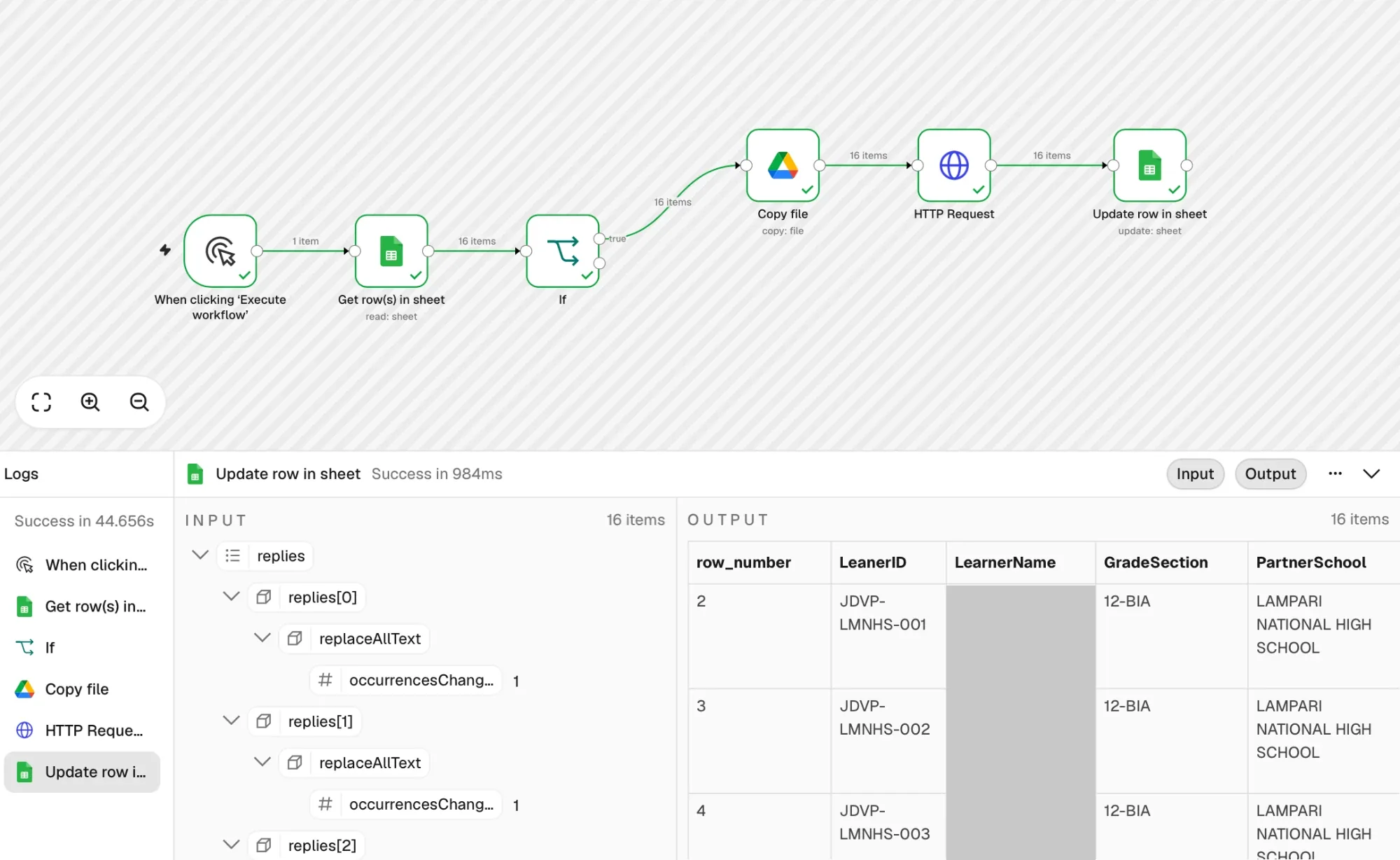
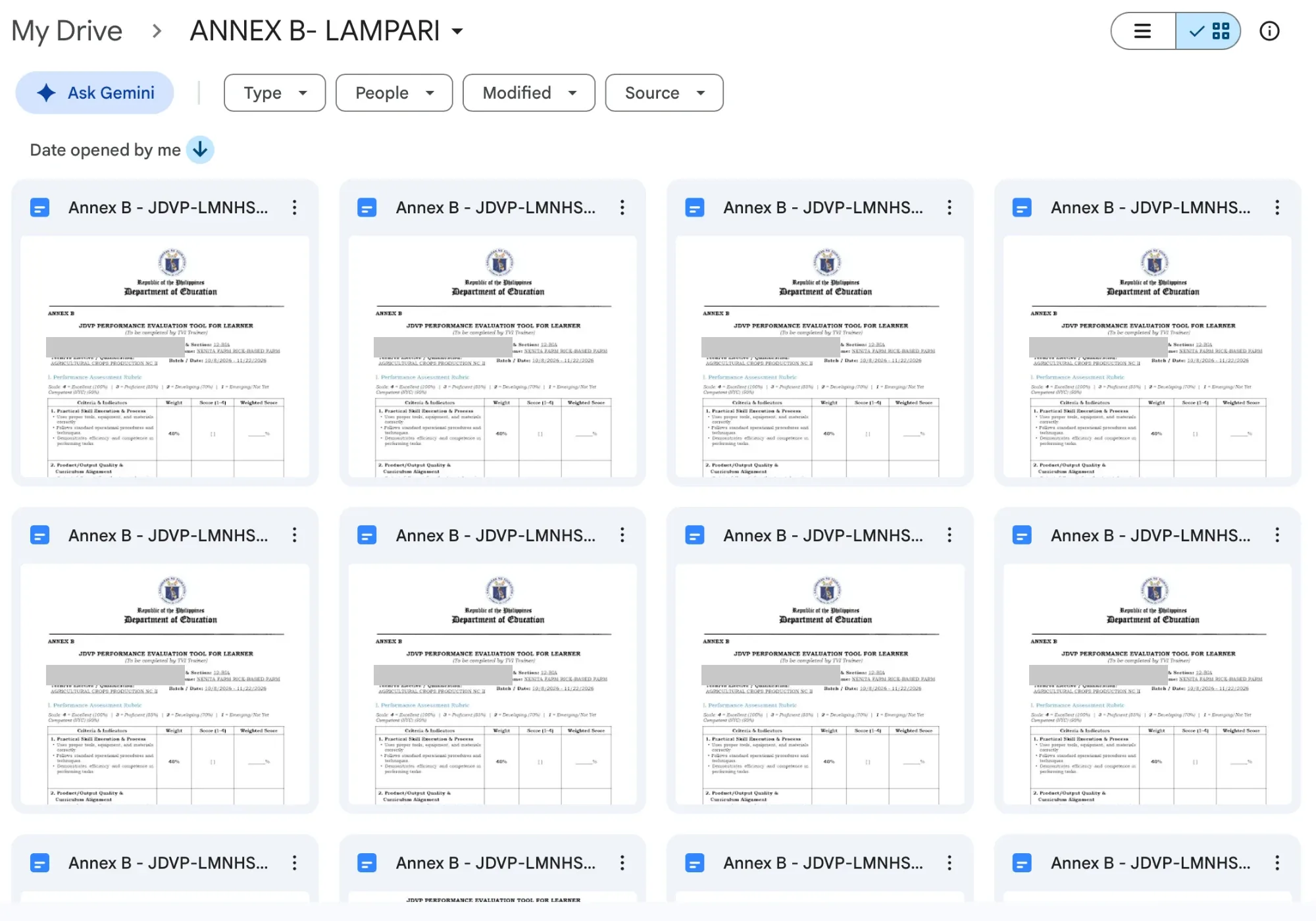
Generates one Annex B performance evaluation document per learner: n8n reads a Google Sheet, keeps only READY rows, copies a Google Docs template into a Drive folder, fills six placeholders, and writes the new document link back to the sheet.
An n8n automation for JDVP learner paperwork. It filters sheet rows marked READY that have no generated document yet, copies the Annex B Performance Evaluation Tool template named by learner ID and name, fills learner name, grade and section, partner school, TVI name, qualification and batch date through one Google Docs API batchUpdate, then marks the row GENERATED with the document URL.
Result
One manual run produces every pending learner's evaluation form.
02
How it works
- A manual run reads the learner rows from Google Sheets.
- Only rows with status READY and an empty document link continue.
- Google Drive copies the Annex B template into the Annex B folder as
Annex B - <learner ID> - <learner name>. - A Google Docs API batchUpdate replaces the six
[[PLACEHOLDER]]fields with the row's values. - The row is updated to GENERATED with the new document's URL.